
Every system needs care. Not every task needs an engineer.
MPLOI is the self-hosted AI operating system where agents do real work across your networks, servers, clouds and business apps, with any model or plan you choose, under your rules, on your infrastructure.
Works with the systems and AI you already run





One request in. Done work out.
Ask in plain language. MPLOI's agents plan the steps, reach into every system involved, stop for your approval where it matters and report back with the evidence.
See what your teams get
Answers you can act on
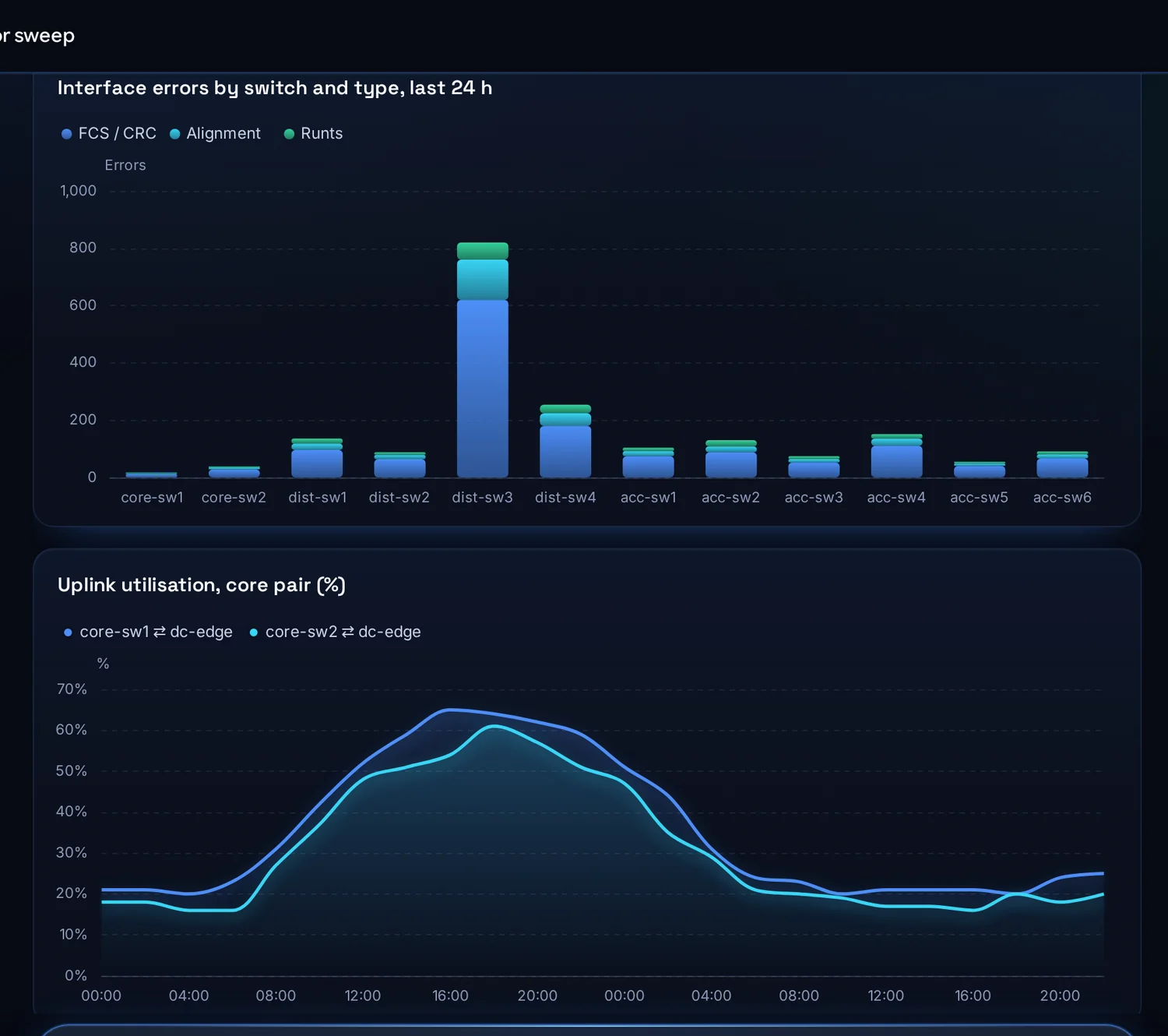
Agents lead with the answer, then show the evidence: live charts, tables, diagrams and every tool call they made, with the device, the command and what came back.
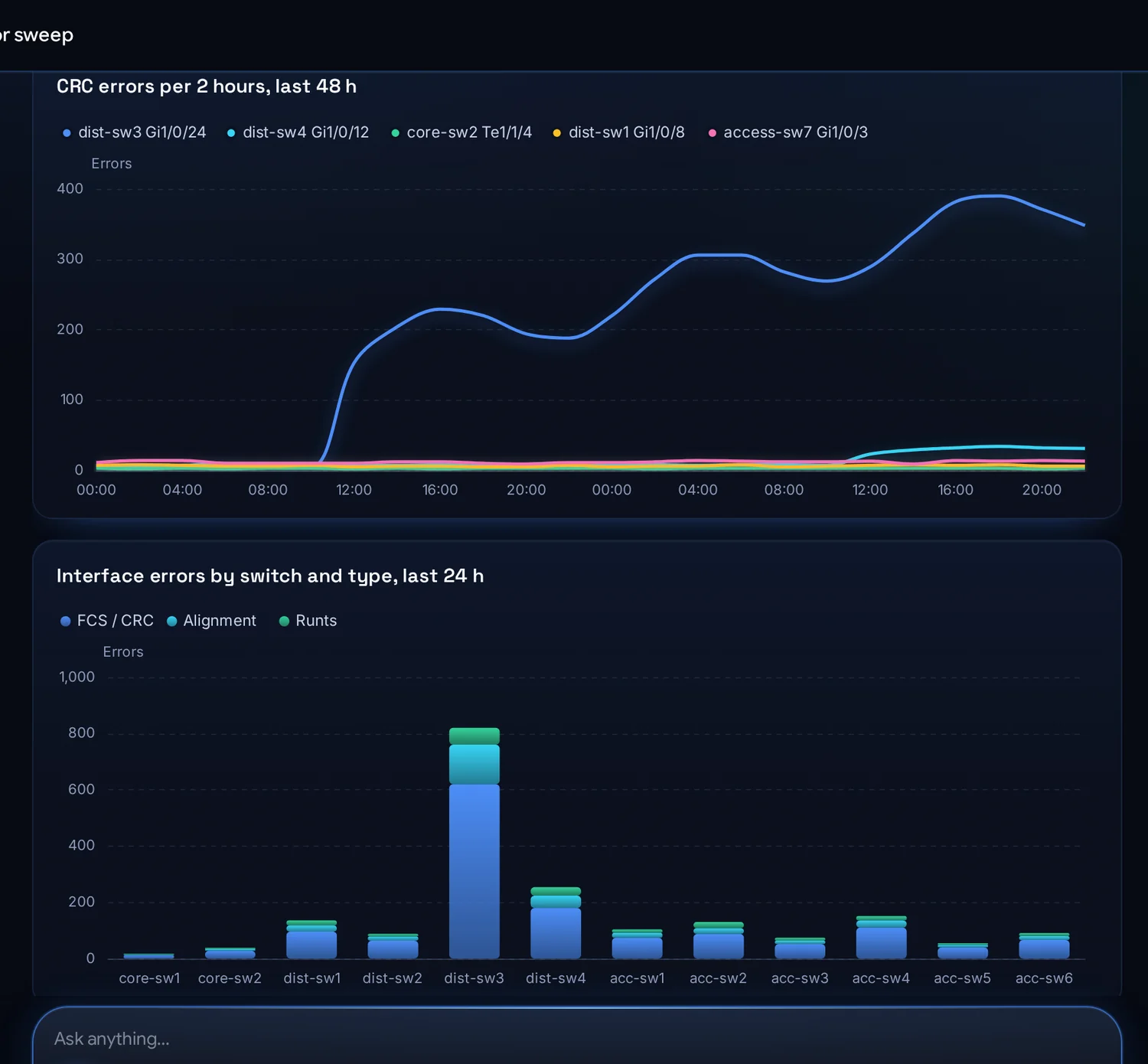
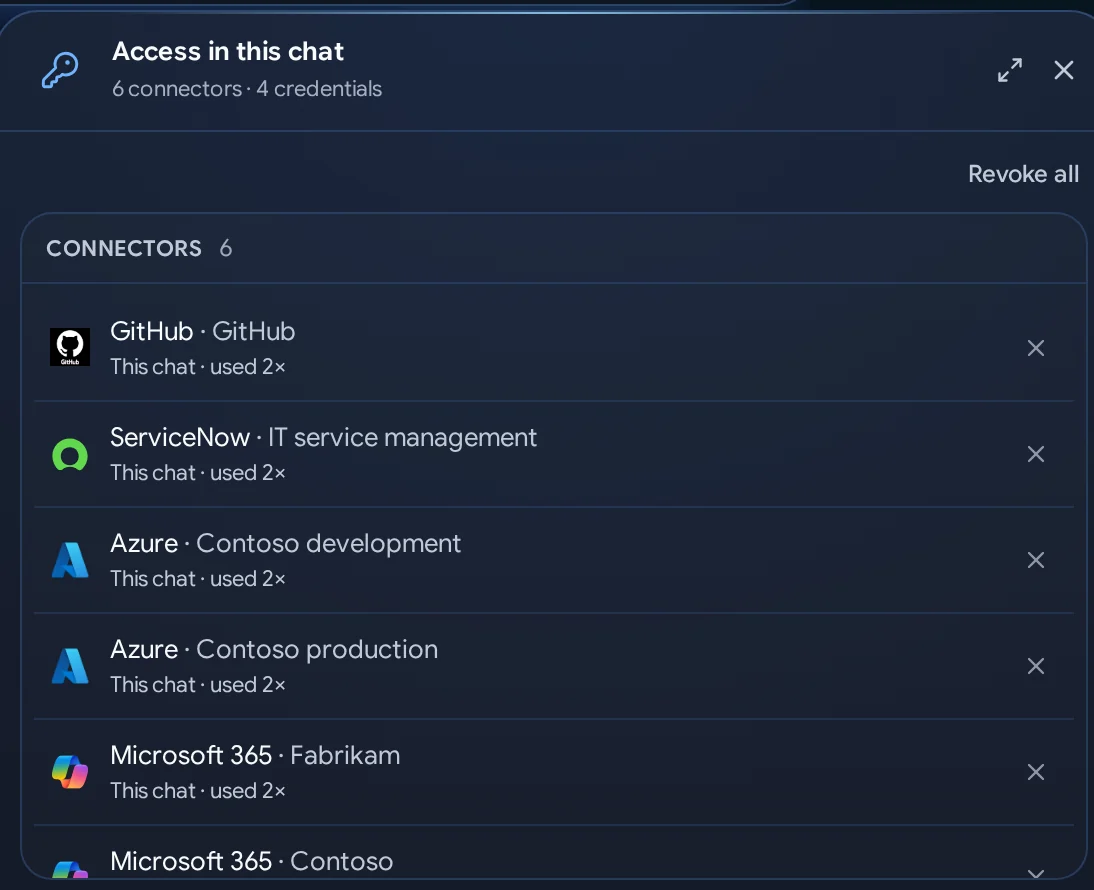
Access, per chat, at a glance
Every connector account and credential this chat may use, with how long it lasts. Extend it, narrow it or revoke it in one click; the AI never sees a secret.
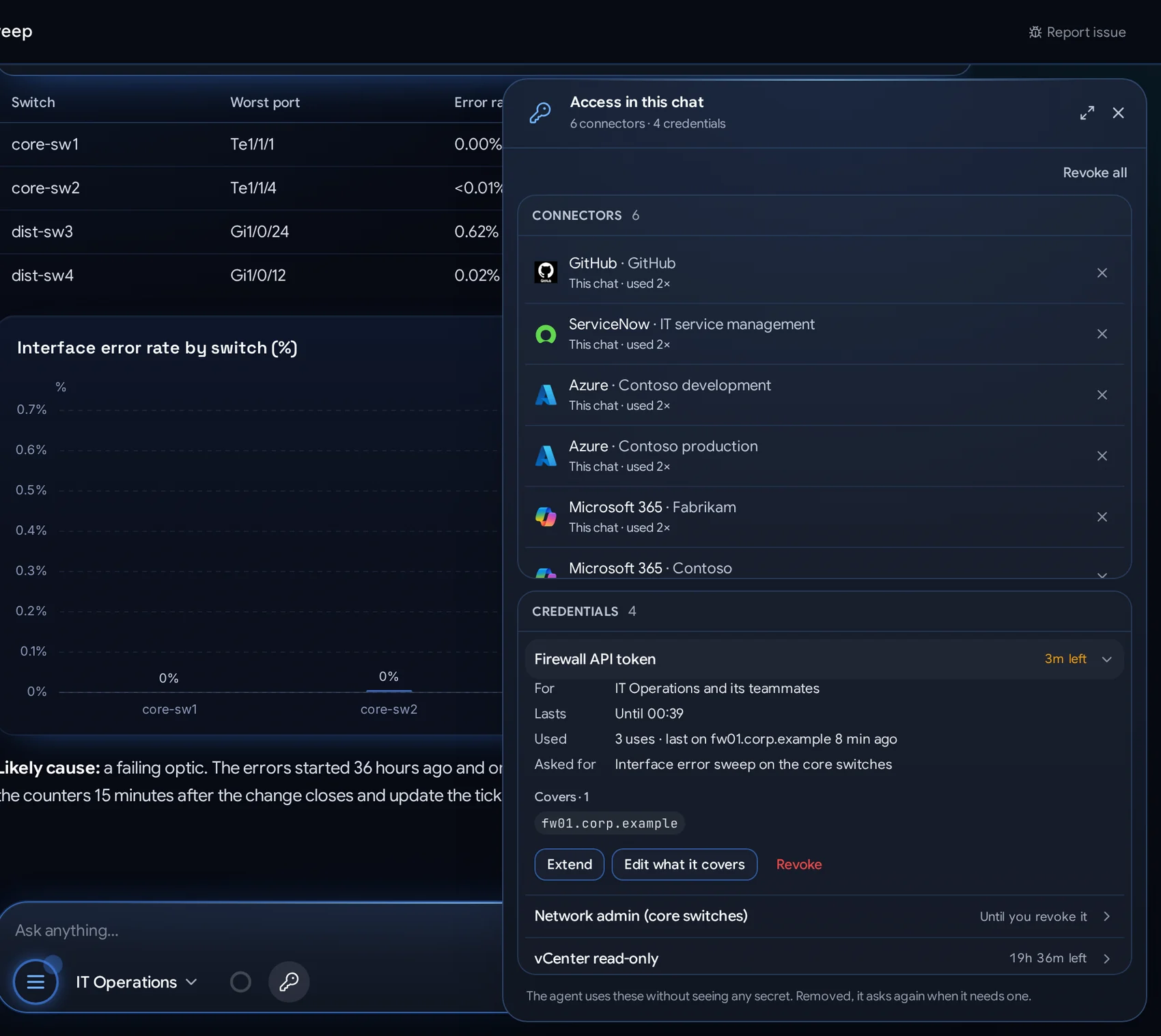
Any model. Any plan.
One agent can offer Claude and ChatGPT subscriptions, API models from every major provider and models you host yourself. Switch mid-conversation and carry on.
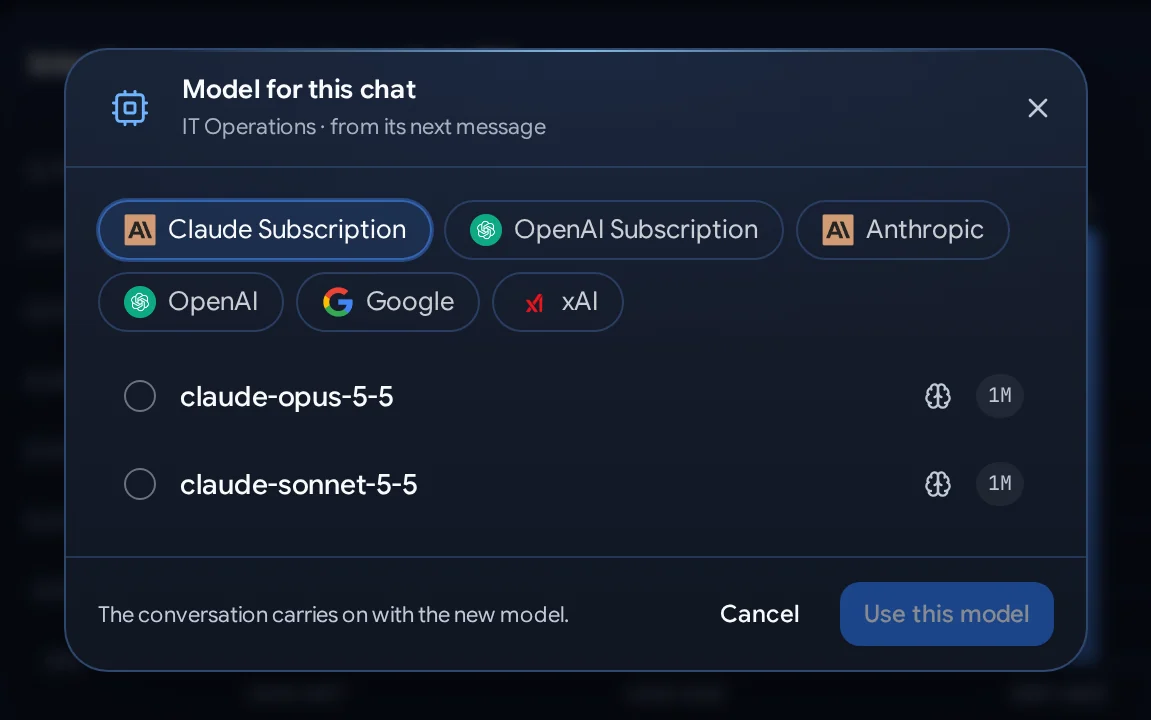
Agents built in minutes
Instructions, a model, the tools and capabilities it may use and the steps that need a person. No code.
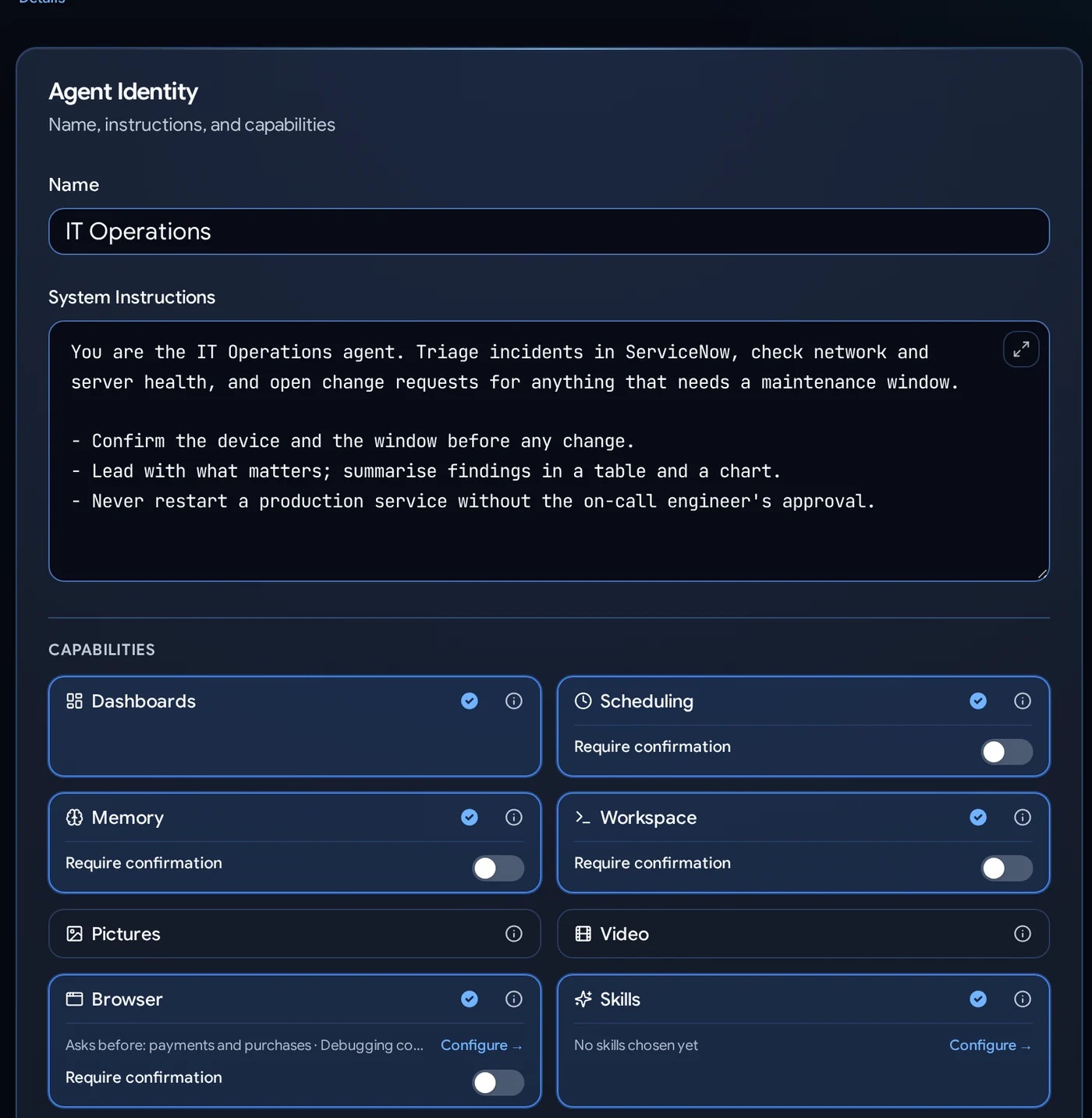
Dashboards that agents build and run
Describe the dashboard you want; an agent designs it in your look, fills it from your systems on a schedule, and puts buttons and a chat agent right on the page.
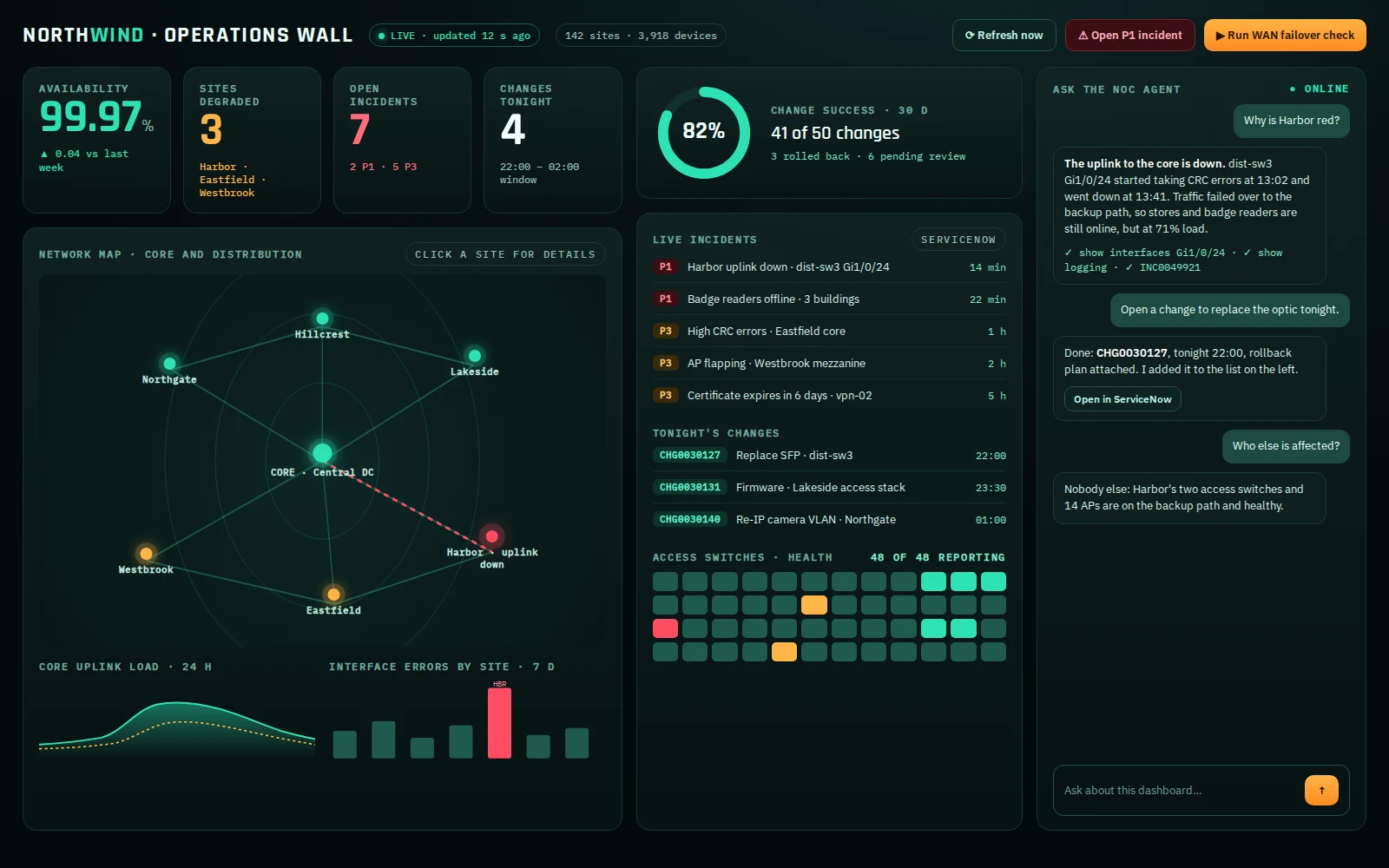
Any dashboard you can describe. Built, run and answered by agents.
Tell an agent who it is for and what it should show. It designs the page in whatever look you want, connects it to your systems, keeps it current on a schedule, adds buttons that send agents to work, and builds a chat agent right into the page.
Describe it, it builds it
A design agent asks what it needs, gets access to the systems behind it, runs a real test and builds the page. Refine it in plain words: "make a site red when its uplink is down".
Agents keep it current
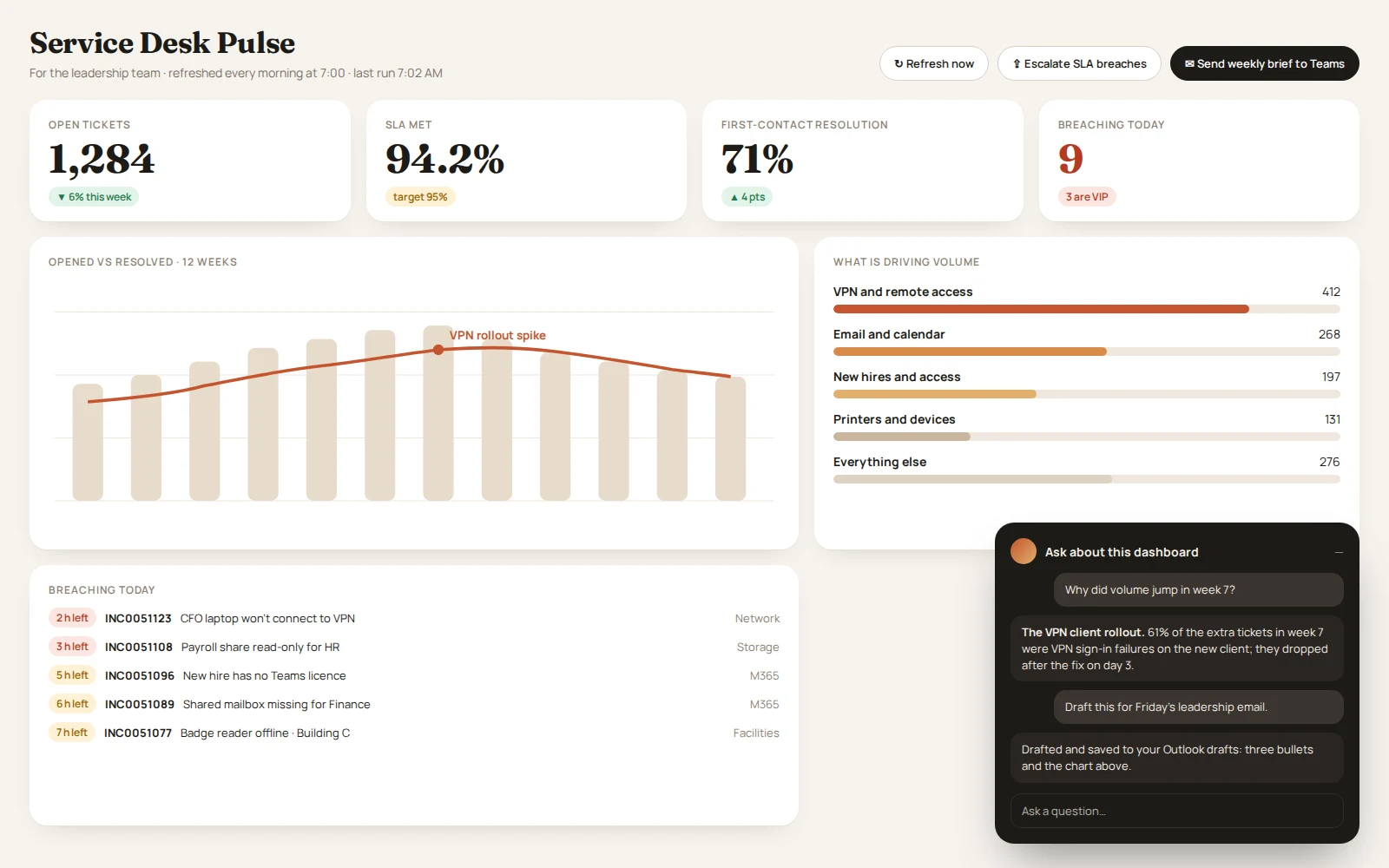
An action agent (or a whole team) collects the values every 5 minutes, every hour or each morning, from devices, clouds, ServiceNow, databases and any API.
Buttons that do the work
"Run a failover check", "Escalate SLA breaches", "Send the brief to Teams": each button starts an agent run with its own instructions, and you decide who may press it.
Guardrails built in
Runs use the access you granted, time-boxed in the vault. The chat uses each viewer's own permissions. Every run is recorded with its full transcript.
From a wall screen to a leadership brief
Every dashboard is its own page, designed for its audience: a dark operations wall for the NOC, a clean weekly view for leadership, a status board for a single site. Share it by link, put it on a wall screen, or open it on a phone.
Your conversation. Any model, any plan.
Assistants like Claude Desktop, Codex and Antigravity tie your work to one vendor's app and plan. In MPLOI the conversation, its files and its memory are yours, on your servers, and every model is one click away.
| MPLOI | Single-vendor apps | |
|---|---|---|
| Use your Claude, ChatGPT and API plans in the same chat | Yes | One vendor's plan |
| Switch to another vendor's model mid-conversation, nothing lost | Yes | Start over elsewhere |
| Conversations, files and memory on your own servers | Yes | Kept in the vendor's app |
| Encrypted credential vault, scoped per chat, fully audited | Yes | Not included |
Every key, scoped to the chat that needs it
Agents ask for access; you choose what and for how long: one command, ten minutes, a day, or until you revoke it. The chat's Access pane shows everything in play, ready to extend or revoke.
- Never seen by the AI: secrets are filled in by the server at the moment of use
- Time-boxed, per chat, schedule or dashboard; revoked in one click
- Every use logged: which host, when, and whether the sign-in worked
Two tenants? Five subscriptions? Connect them all.
Connect several accounts of the same service, such as production and development Azure tenants or two Microsoft 365 organisations, and use them side by side in one conversation. Each signs in as you, with your permissions.

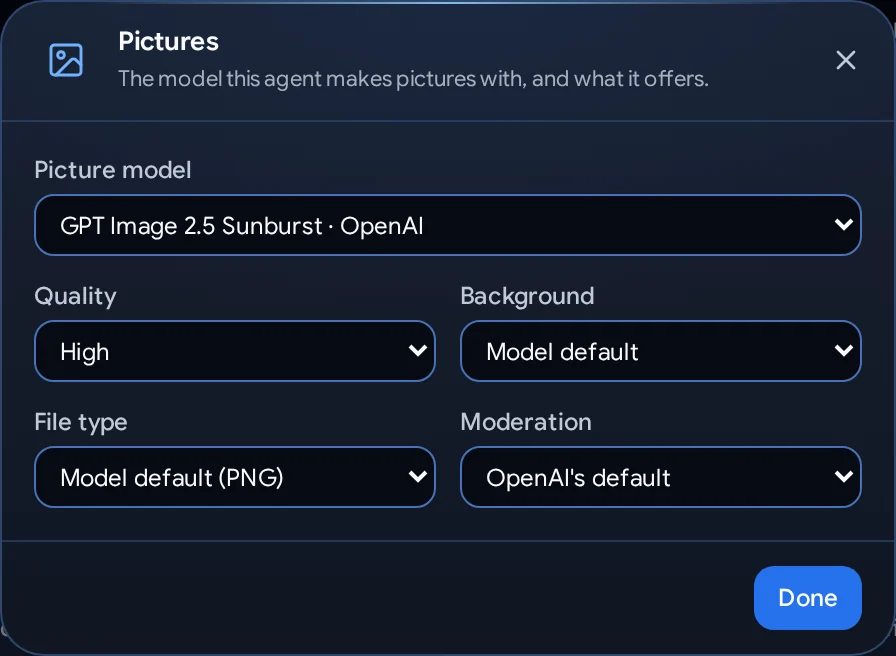
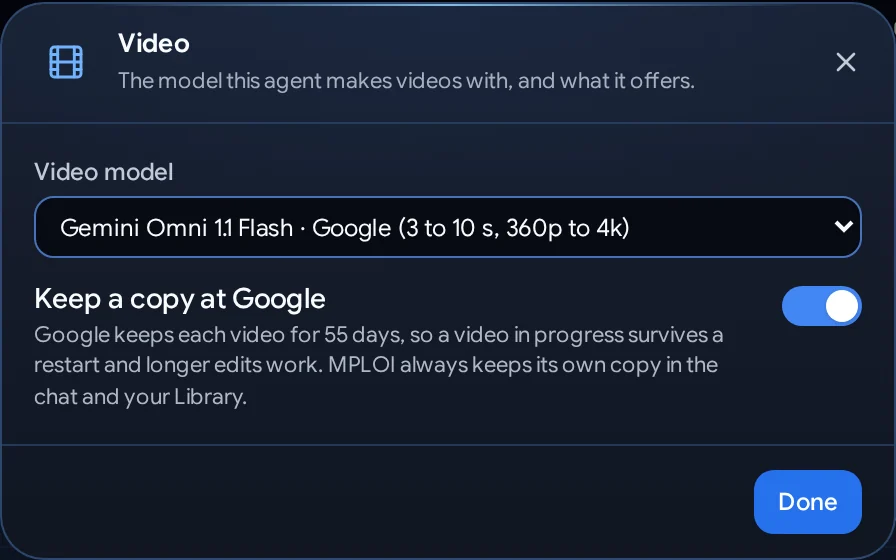
Give any agent an image model and a video model
Switch on Pictures or Video and choose the model: GPT Image, Gemini, Grok Imagine or FLUX for pictures; Gemini Omni or Grok Imagine for short videos with sound. Agents make and edit them right in the chat.
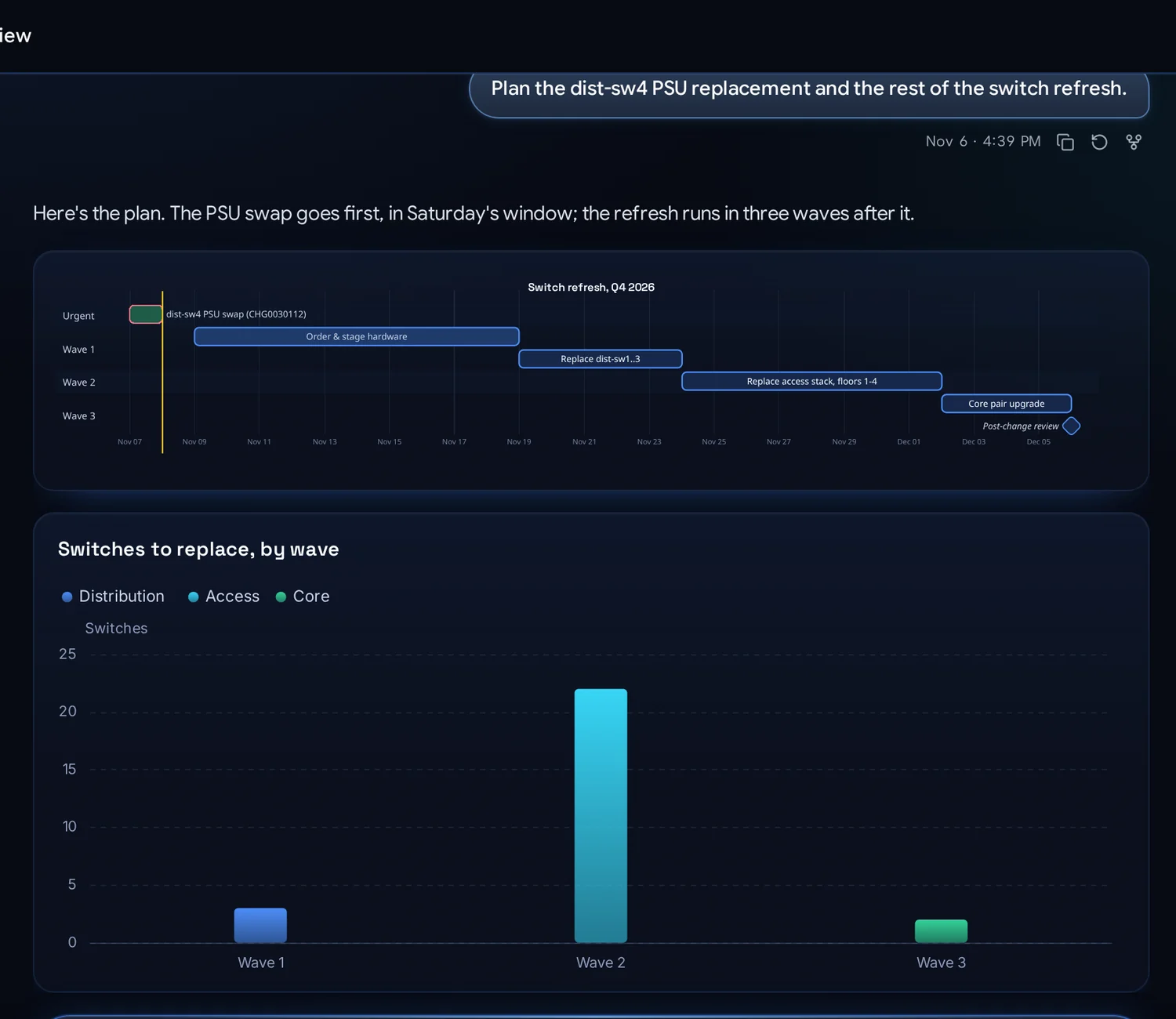
Charts, timelines and live views, drawn in the reply
Ask about trends and get the trend. Ask for a plan and get the timeline. Every chart is live: hover it, expand it, download it.
What teams hand to MPLOI
Network and infrastructure, the service desk, cloud, software, security and leadership. See them in detail →
An AI operating system, installed where you choose
MPLOI is one complete system: people, agents, models, connectors, the vault, security and audit. It installs as its own appliance from an ISO or a virtual-machine image, runs on-premises, in Azure, in any cloud or with no internet at all, and upgrades as one.
Built for teams that can't take chances
Frequently asked
What is MPLOI?
MPLOI is a self-hosted AI operating system for enterprises. It lets your teams build and use AI agents that work across your networks, servers, clouds and business applications, using the AI models you choose. Every action follows your access rules and approvals and is written to an audit log.
Is MPLOI just an AI agent framework?
No. MPLOI is a complete platform you install, not a library or a hosted chatbot. It includes the chat workspace, an agent builder, connectors, a credential vault, approvals, dashboards, schedules, knowledge search, user and group management, single sign-on and audit logging, and it runs as its own appliance on your infrastructure.
Where can MPLOI be deployed?
Anywhere you run servers: on-premises in your data center, in Microsoft Azure or another public cloud, or in an air-gapped network. It installs from an ISO or a ready-made virtual-machine image, and is upgraded with signed packages, online or offline.
Which AI models does MPLOI support?
Anthropic Claude, OpenAI GPT, Google Gemini, xAI Grok, Meta Llama, Cohere, Amazon Bedrock, Microsoft Foundry, NVIDIA NIM, TensorRT-LLM, OpenRouter and self-hosted models served with vLLM. You can also connect a ChatGPT or Claude subscription. Each agent picks its model, and people can switch models per chat where you allow it.
Can MPLOI run without sending data to a cloud AI provider?
Yes. Point MPLOI at models you host yourself (for example with vLLM, NVIDIA NIM or TensorRT-LLM) and nothing leaves your network. MPLOI itself needs no internet connection and works fully air-gapped.
What systems can MPLOI agents automate?
Network and security devices (Cisco, Juniper, Arista, Palo Alto Networks, Fortinet, F5), servers (Linux, Windows, VMware), clouds (Azure, AWS, Google Cloud, Cloudflare), Microsoft 365, Google Workspace, ServiceNow, Jira, Confluence, Slack, GitHub, GitLab, databases, any REST API and any MCP server.
The future of IT operations is agentic.
See MPLOI working on your own systems, with your models and your data.